|
Book Excerpt: Object-Oriented JavaScript
|

|
This chapter excerpt from
Microsoft AJAX Library Essentials by Cristian Darie, Bogdan
Brinzarea, is printed with permission from Packt
Publishing, Copyright 2007.
JavaScript Functions
A simple fact that was highlighted in the previous chapter, but that is often
overlooked, is key to understanding how objects in JavaScript work: code that
doesn't belong to a function is executed when it's read by the JavaScript
interpreter, while code that belongs to a function is only executed when that
function is called.
Take the following JavaScript code that you created in the first exercise of
Chapter 2:
// declaring new variables
var date = new Date();
var hour = date.getHours();
// simple conditional content output
if (hour >= 22 || hour <= 5)
document.write("Goodnight, world!");
else
document.write("Hello, world!");
|
This code resides in a fi le named JavaScriptDom.js, which is referenced from
an HTML file (JavaScriptDom.html in the exercise), but it could have been
included directly in a <script> tag of the HTML fi le. How it's stored is
irrelevant; what does matter is that all that code is executed when it's read
by the interpreter. If it was included in a function it would only execute if
the function is called explicitly, as is this example:
// call function to display greeting message
ShowHelloWorld();
// "Hello, World" function
function ShowHelloWorld()
{
// declaring new variables
var date = new Date();
var hour = date.getHours();
// simple conditional content output
if (hour >= 22 || hour <= 5)
document.write("Goodnight, world!");
else
document.write("Hello, world!");
}
This code has the same output as the previous version of the code, but it is
only because the ShowHelloWorld() function is called that will display
"Goodnight, world!" or "Hello, world!" depending on the hour of the day.
Without that function call, the JavaScript interpreter would take note of the
existence of a function named ShowHelloWorld(), but would not execute it.
Functions as Variables
In JavaScript, functions are first-class objects. This means that a function is
regarded as a data type whose values can be saved in local variables, passed as
parameters, and so on. For example, when defi ning a function, you can assign
it to a variable, and then call the function through this variable. Take this
example:
// displays greeting
var display = function DisplayGreeting(hour)
{
if (hour >= 22 || hour <= 5)
document.write("Goodnight, world!");
else
document.write("Hello, world!");
}
// call DisplayGreeting supplying an hour as parameter
display(10);
When storing a piece of code as a variable, as in this example, it can make
sense to create it as an anonymous function—which is, a function without a
name. You do this by simply omitting to specify a function name when creating
it:
// displays greeting
var display = function(hour)
{
...
}
Anonymous functions will come in handy in many circumstances when you need to
pass an executable piece of code that you don't intend to reuse anywhere else,
as parameter to a function.
Let's see how we can send functions as parameters. Instead of sending a numeric
hour to DisplayGreeting(), we can send a function that in turn returns the
current hour. To demonstrate this, we create a function named GetCurrentHour(),
and send it as parameter to DisplayGreeting(). DisplayGreeting() needs to be
modifi ed to refl ect that its new parameter is a function—it should be
referenced by appending parentheses to its name. Here's how:
// returns the current hour
function GetCurrentHour()
{
// obtaining the current hour
var date = new Date();
var hour = date.getHours();
// return the hour
return hour;
}
// display greeting
function DisplayGreeting(hourFunc)
{
// retrieve the hour using the function received as
parameter
hour = hourFunc();
// display greeting
if (hour >= 22 || hour <= 5)
document.write("Goodnight, world!");
else
document.write("Hello,
world!");
}
// call DisplayGreeting
DisplayGreeting(GetCurrentHour);
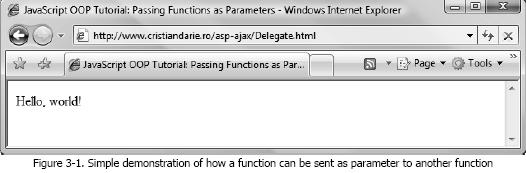
This code can be tested online at
http://www.cristiandarie.ro/asp-ajax/Delegate.html. The output should resemble
Figure 3-1.
Related Links
Test your Oops knowledge with
our multiple choice questions!
Object Oriented Programming Interview Questions
What
are the various elements of OOP?
Various elements of OOP are.........
Define
Encapsulation and Information Hiding in OOP.
Encapsulation means keeping actions and attributes together under a single unit.
This can also be understood using a motor bike example. A bike has actions such
as 'switch on light', 'horn' etc. and attributes such specific color, size,
weight etc..............
What
are the advantages of OOP?
It presents a simple, clear and easy to maintain structure. It enhances program
modularity since each object exists independently............
What
encapsulation, inheritance, and polymorphism mean
In OOP's world everything revolves around objects and classes, and OOP languages
usually offer three specifi c features for manipulating them—encapsulation,
inheritance, and polymorphism........
|



